A hybrid approach for procedural planets
Part four - Gas giants
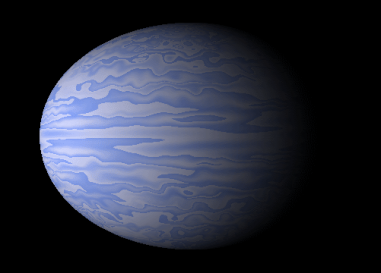
Gas giants are common. So we had better be able to add them to our universe.
However gas giants have no terrain, so how are we going to handle them?
If we use Jupiter as a base then we have to generate vortices and cloud patterns which are very stable. The big red spot on Jupiter has been pretty stable for at least 300 years. So how are we going to do it?
Well this is where my choice of simplex noise pays dividends. Simplex noise naturally produces swirling patterns, if you look closely at the water planet you may be able to make out some large ones. So all we have to do is play with the pixel shader.
As we did with the ice planet, add a new class GasGiant and copy the code from WaterPlanet. Copy the shader and rename it GasGiant.fx. Then change the pixel shader to this
However gas giants have no terrain, so how are we going to handle them?
If we use Jupiter as a base then we have to generate vortices and cloud patterns which are very stable. The big red spot on Jupiter has been pretty stable for at least 300 years. So how are we going to do it?
Well this is where my choice of simplex noise pays dividends. Simplex noise naturally produces swirling patterns, if you look closely at the water planet you may be able to make out some large ones. So all we have to do is play with the pixel shader.
As we did with the ice planet, add a new class GasGiant and copy the code from WaterPlanet. Copy the shader and rename it GasGiant.fx. Then change the pixel shader to this
float4 PixelShaderFunction(VS_OUT input) : COLOR0
{

    float res=snoise(input.WP*6);
    float3 dr = float3(2,res+10,2);
    float h = snoise(input.WP*dr);
    float4 texCol = float4(h,h,h,1);
    return texCol;
}
Simple piece of shader code isn't it?
Add a new texture, again have a play with this later so you get a result you like, but this is the one I am using.
Add a new texture, again have a play with this later so you get a result you like, but this is the one I am using.

Compile it up and you should end up with this.
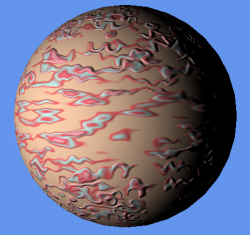
Yuck. The bump mapping is causing problems.
Never fear planning ahead has given us an easy fix.
Change Nz to a large number, I use 12800, and you will get a much nicer result.
Never fear planning ahead has given us an easy fix.
Change Nz to a large number, I use 12800, and you will get a much nicer result.
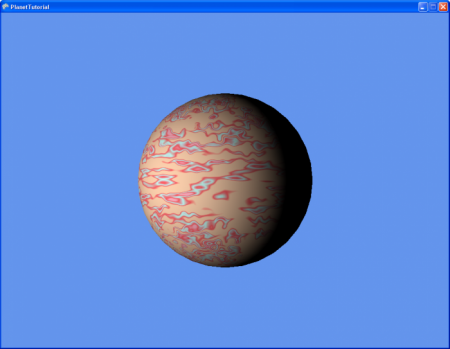
Well that will do for gas giants.
Next on the list is airless rocks.
Stay tuned for the next exciting episode.
Next on the list is airless rocks.
Stay tuned for the next exciting episode.

| part4.zip |
